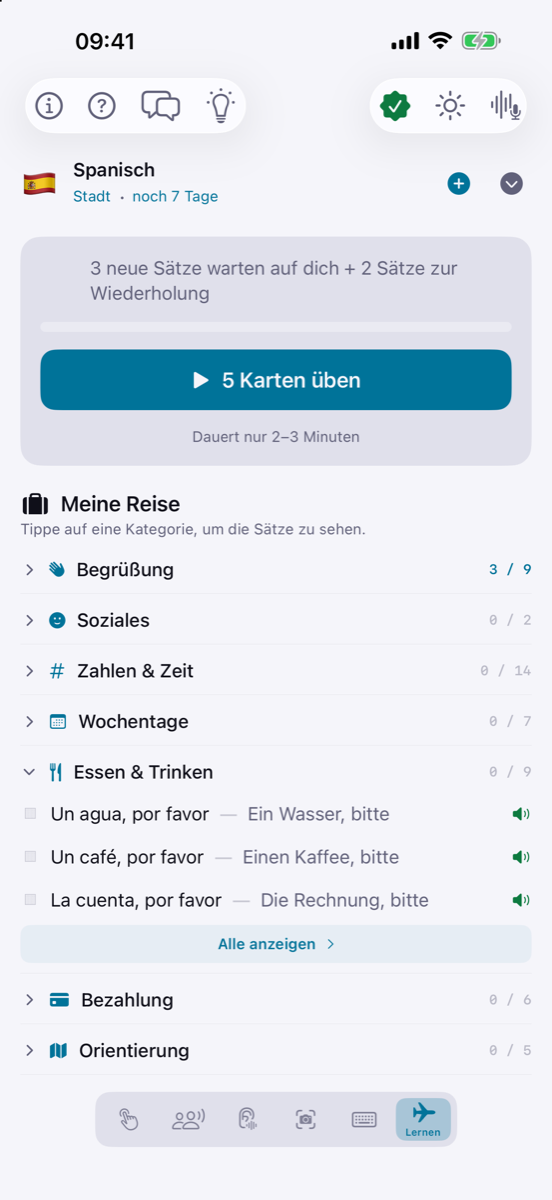
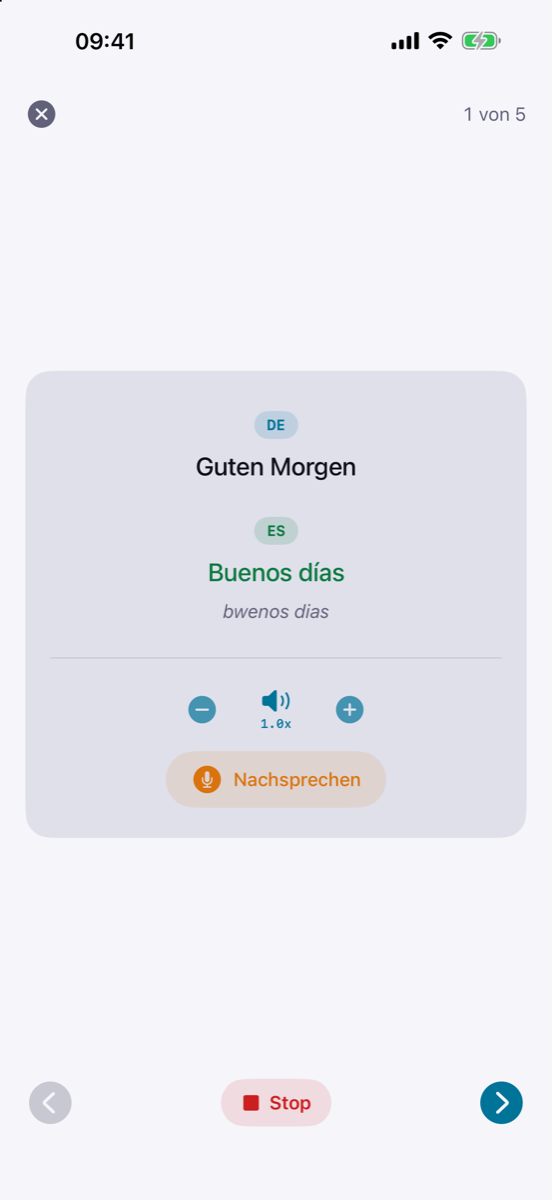
iPhone · iOS 26 · One-Time Purchase

Your Voice.
Your Privacy.
Worldwide.

The first translation app that lives 100% on your iPhone. Fast, offline, and accessible through deep integration with AirPods and hearing aids.

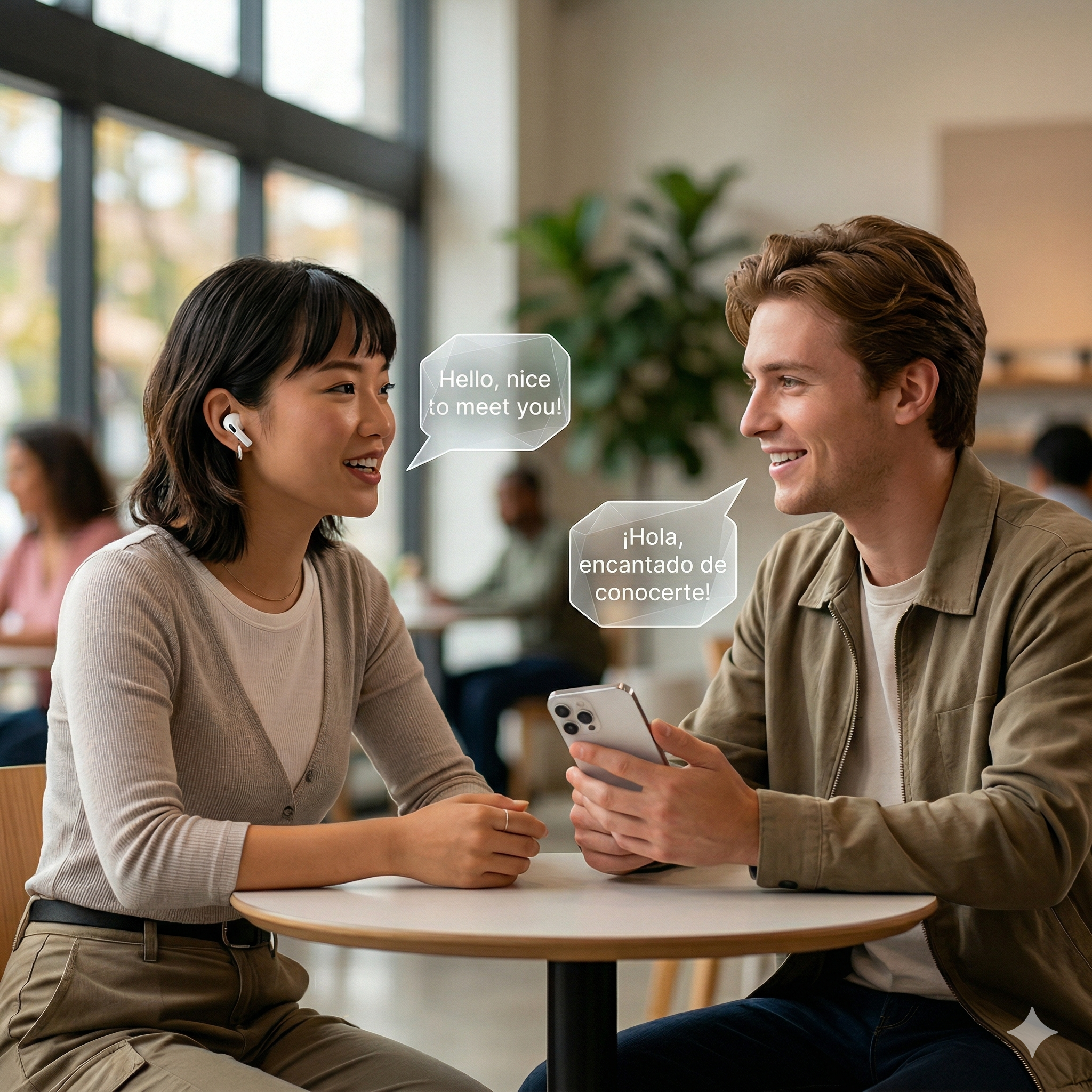
Two people using Tolki at a café — effortless conversation across languages

Why Tolki?

Three Promises. Zero Compromises.

🛡️

Radical Privacy

No cloud. No servers. No data storage. Tolki uses the native Apple Translation Framework to translate conversations directly on your device. What you say stays with you — GDPR compliant, guaranteed.

🎧

True Inclusion

Tolki is for everyone. With full support for MFi hearing aids, ASHA, and AirPods, you hear translations privately in your ear — the iPhone microphone picks up both speakers. Accessible real-time communication.

💎

No Subscription. Ever.

Great software should be a tool, not a monthly burden. Buy Tolki once and use it forever. All features, all updates, full transparency.

5 Modes for Every Situation

Tolki adapts. You don't have to.

ModeYour Advantage
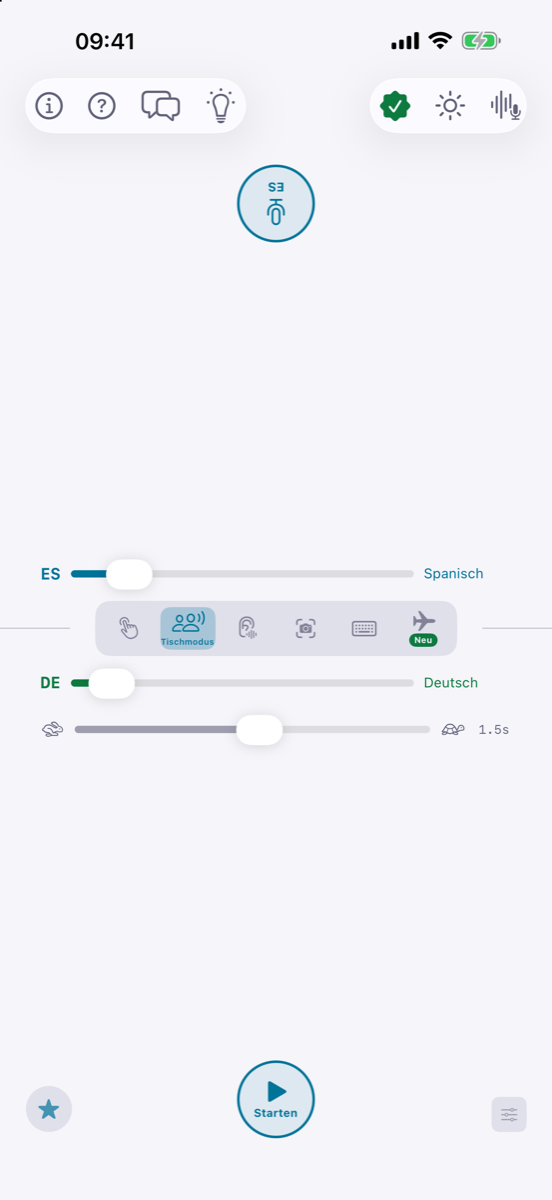
Table Mode Automatic speaker detection for natural conversations at restaurants or business meetings. Place your iPhone down — just start talking.
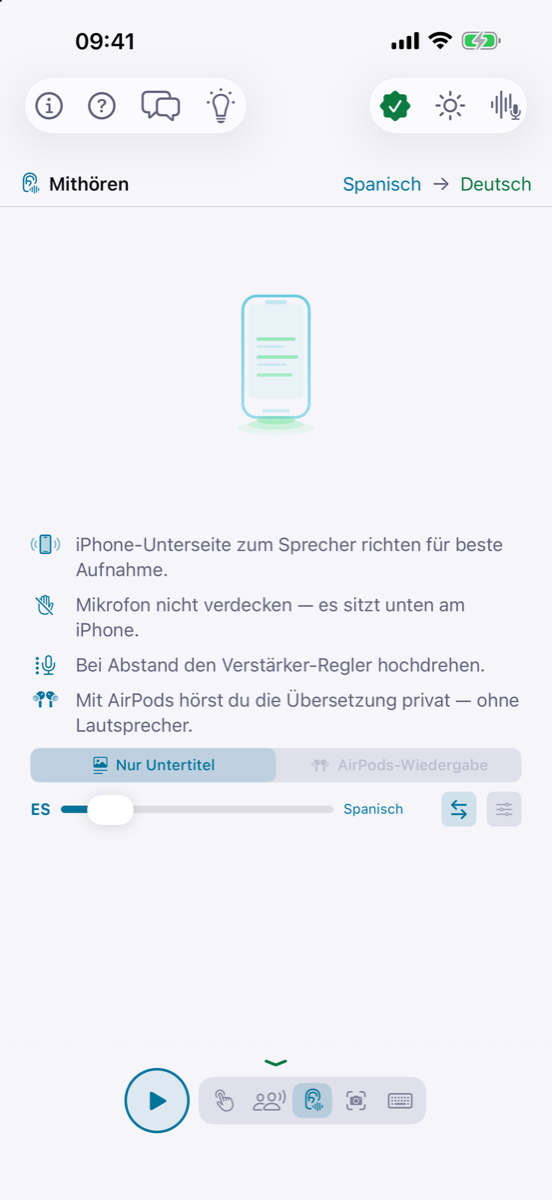
👂 Listen Mode Live subtitles for lectures, TV shows, or nearby conversations — right on your screen or in your ear via AirPods.
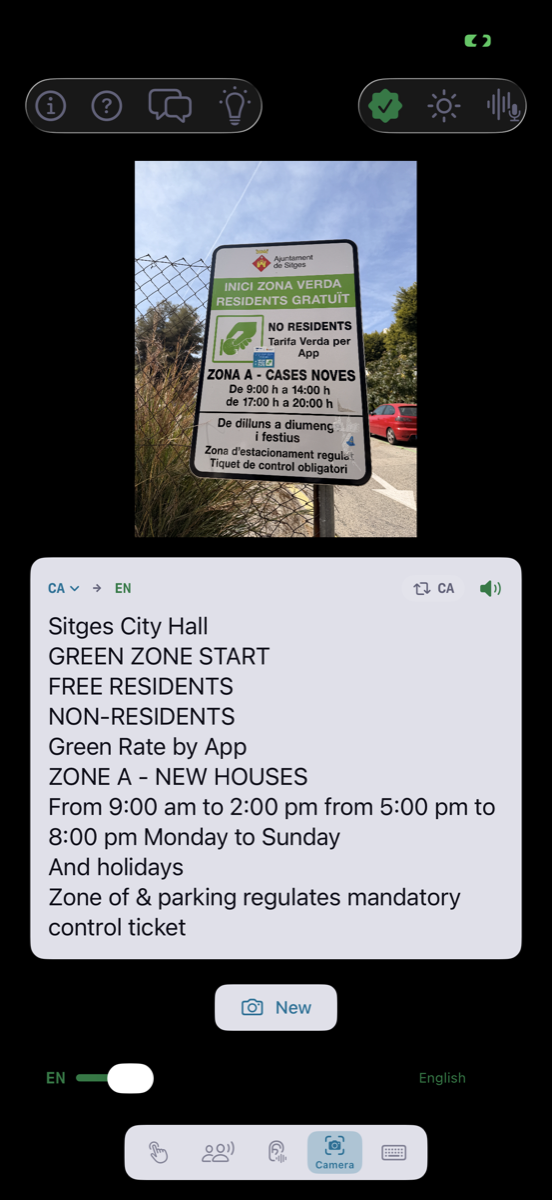
📷 Camera Menus, signs, package inserts, and documents instantly readable in your language. No photo is ever uploaded.
⌨️ Text Input Quick translation via keyboard, clipboard, or the iOS Share Extension from any app.

AirPods Mode

Put in your AirPods.
Speak English.
Your guest hears Spanish.

No button press. No pause. Tolki automatically detects who's speaking — and routes the translation to the right channel. Private. Discreet. Instant.

Two people in conversation — she wears AirPods and hears the translation privately, he speaks Spanish
Fully Automatic

Detects who's speaking. No button needed.

Dual Routing

Two separate audio channels — private and public.

👂Hearing Aid Support

MFi, Bluetooth LE, ASHA.

🎵Subtle Moderator

A tone signals the speaker switch.

Tolki Table Mode

Table Mode

Place your iPhone down.
Just start talking.

Tolki listens to both languages simultaneously and detects who's speaking automatically. No word is lost — even if you start mid-sentence.

No button press Dual-channel detection No word lost

Listen Mode

Just listen.
Tolki translates along.

Lecture in French? TV show in Spanish? Conversation at the next table? Tolki shows live subtitles in your language. With AirPods, hear the translation directly in your ear.

Live subtitles AirPods playback Passive listening
Tolki Listen Mode

Camera · Text · Read Aloud

More Than Just Conversations

📷

Camera Translation

Menus, labels, signs, or contracts — point your camera and Tolki translates instantly via OCR. Completely offline.

⌨️

Type & Share

Type directly, paste from clipboard, or share via iOS Share Sheet from any app.

🔊

Natural Voices

Have any translation read aloud — with neural Piper voices. Perfect for learning pronunciation.

Favorites

Save important phrase pairs and look them up anytime — perfect for preparation.

Camera Mode
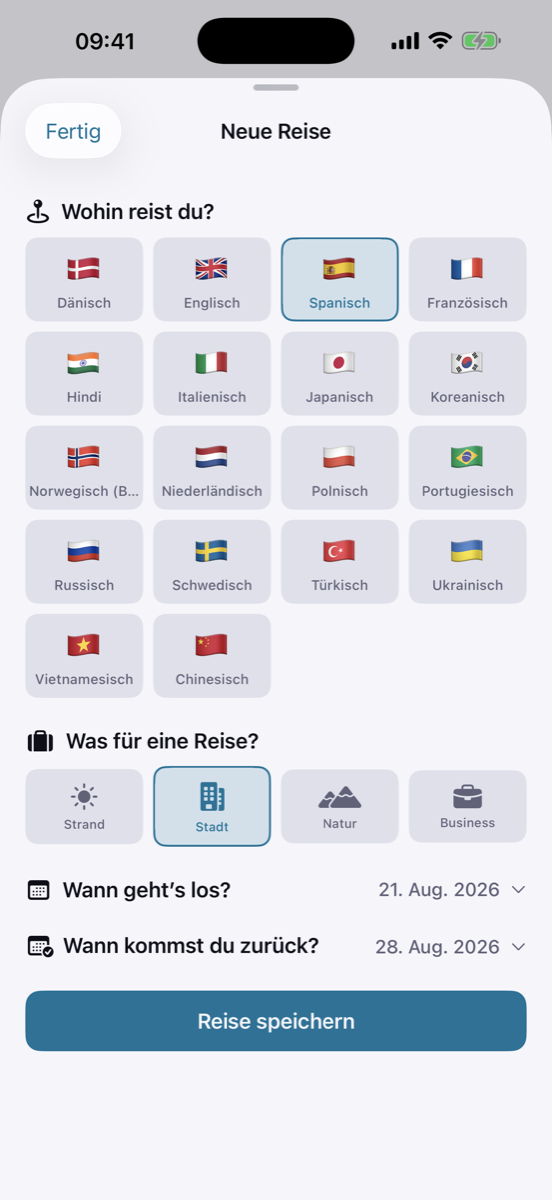
Language Setup
Favorites

Translate & Learn

Your personal language trainer. Offline.

Save phrases

Mark important translations as favorites — during conversations, camera scans, or text input.

🗣️

Practice phrases

Tolki speaks the phrase first — then you repeat it. Speech recognition checks your pronunciation in real time.

🎯

Instant feedback

Color-coded feedback and audio cues show you instantly how well you pronounced the phrase.

🔁

Auto mode

Tolki automatically repeats until you nail the pronunciation — then moves to the next phrase. Works hands-free with AirPods.

Favorites — saved phrases with translations
Flashcard — practice pronunciation with real-time feedback
"What was science fiction 60 years ago now runs entirely on your iPhone — offline, private, instant."

Tolki. Universal Translator.

Made in Germany

Technology that connects
without spying on you.

"We believe technology should connect people without surveilling them. Tolki was built in Germany to harness the full power of Apple's hardware while meeting the world's highest privacy standards."

🇩🇪 Built in Germany 🇪🇺 GDPR Compliant 🔒 Zero Data Transmission ✈️ Works Offline

Compared

The Difference at a Glance

TolkiGoogleApple
100% offline AlwaysPartialPartial
On-device recognition AlwaysOptional
AirPods dual routing
Camera OCR offlinePartialLimited
Fully automatic
Hearing aid support
Listen Mode
Pronunciation trainer
Data leaves device NeverAlwaysPartial

Languages & Voices

13 Languages. 13 Voices. All Offline.

🇩🇪GermanThorsten HQ
🇺🇸EnglishLJSpeech HQ
🇪🇸SpanishSharvard
🇫🇷FrenchSiwis
🇮🇹ItalianPaola
🇧🇷PortugueseFaber
🇳🇱DutchPimNew
🇵🇱PolishGosiaNew
🇷🇺RussianDenisNew
🇻🇳VietnameseVAISNew
🇮🇳HindiRohanNew
🇩🇰DanishTalesynteseNew
🇸🇪SwedishNSTNew
13
Languages
13
Natural voices
0
Servers receive your data
100%
On your iPhone

What's New?

Version 1.1.0

New
🗣️

Pronunciation Trainer

Practice phrases: Tolki speaks the translation first, you repeat — with real-time feedback and color-coded pronunciation scoring.

New
🔁

Auto Mode

Tolki automatically repeats until your pronunciation is perfect — then moves to the next phrase. Works hands-free with AirPods.

New
🌏

4 New Languages

Vietnamese, Hindi, Danish and Swedish — with natural offline voices. Tolki now supports 13 languages.

Improved

Faster Translation

Optimized speech synthesis for shorter wait times during offline translation.

Common Questions

Quick Answers

Does Tolki really work offline?
Yes. Download your languages once and translate anywhere — on a plane, abroad without roaming, in the middle of the desert. No internet ever needed again.
Which languages are supported?
German, English, Spanish, French, Italian, Portuguese, Dutch, Polish, Russian, Vietnamese, Hindi, Danish, and Swedish — with natural offline voices for each language.
What is the interactive introduction?
On first launch, Tolki shows you a short demo with real translation examples. It explains all modes and features in about 45 seconds. You can restart it anytime via the 💡 button in the toolbar.
Why is Tolki better than free translation apps?
Because you don't pay with your data. Tolki is faster, more private, and purpose-built for Apple hardware — with exclusive features like AirPods dual routing and hearing aid support.
Which iPhones are supported?
iPhone 12 or later with iOS 26. For the best experience, we recommend iPhone 15 Pro or later — faster speech recognition and better microphones.
Is there a subscription?
No. Tolki is a one-time purchase. All features, all future updates. No hidden costs.

Your Opinion Matters

Help Us Make Tolki Even Better

Tolki thrives on your feedback. Every review helps us improve the app — and helps other travelers make the right choice.

⭐⭐⭐⭐⭐
★★★★★

Super Translation Tool

"Works excellently, whether during a conversation or just following a lecture. Highly recommended."

— Irconcity 1909

★★★★★

It Works

"I was in a pharmacy in Portugal and needed a specific medicine. Tolki worked perfectly for that."

— Maryy.nes

★★★★★

Works Great!

"Practical everyday helper — keep it up!"

— MichiBr82

★★★★★

Does What It Should

"Cool, really works without internet!"

— Dirk Macintosh

★★★★★

Niki.

"Best translator app ever!"

— App Store Review

☆☆☆☆☆

Your Review?

Tell us what you like and what we can improve. Every review makes Tolki better.

Rate now →
⭐ Rate Tolki

Ready for the World?

Buy once. Translate forever. No subscriptions, no cloud, no compromises.

Download on the App Store Support & FAQ